

ATEQ FAQ
SUMMARY


1. Getting Started
A. Dimension: 380 x 440 x 265 mm (14.9 x 17.3 x 10.4 inch) Weight: ~26 kg (~57 lbs)
A. Yes, each one of our ATEQ BCA is delivered with a calibration certificate.
A. With the EEST 50-60, you can manage up to 21 cells, but with our new ATEQ BCA product range, you can manage up to 24 cells.
A. There are two different ways to use the micro-USB port. Firstly, if you are using a USB memory device, you can download test reports, or if you have personalized sequences, you can upload them via the SCSS Software. The second way is to connect a micro-USB cable from the computer directly, to use the ATEQ SCSS or MCMS software control and programming features.
A. We’ve recently applied a new ultra-resistant paint to our BCA, BC1500, and BA1500 battery testers — specially designed to withstand projectile impacts from electrochemical substances found in aircraft batteries.
2. Charging a battery
A. Your BCA capabilities are evolving: thanks to the RCMU, you can now monitor the cell voltages of a second battery — for even better performance!
A. With the new ATEQ BCA, there is no minimum voltage needed to start a charge at a constant current.
A. To measure each cell of the battery, our products allow you to connect to the battery cells in three different ways: a Banana cable with threaded spacers, a Banana cable with alligator clips, or by using a measurement cable with a special cover. More details are available if required.
3. Discharge and Deep discharge
A. With the new ATEQ BCA 75 Volts / 40 Amps version, the maximum discharge current is 60 Amps with full power of 1750 W.
A. The principle of deep discharge is that the battery is discharged at a constant current until a certain voltage is obtained (for example, 20V on a battery of 20 cells, i.e. 1 V per cell), then a 1 Ohm resistor is connected to the terminal of each cell, and the cells are allowed to drop slowly to 0 V. This generally lasts about 12 hours.
A. The principle of deep discharge is closely related to the Ni-Cd technology of aerospace batteries with electrolyte. This technology allows the voltage to go down to 0 V, which is practical when maintaining the batteries (e.g. changing a cell) to avoid electric shocks and/or short circuits with tools.
A. The measurement of cells with 1 Ohm protection is made with the same cable.
A. The cell voltage measurement is very accurate, typically <10mv.
A. When you don’t have the 1 Ohm resistance connected to the cells, no current is flowing, and the measurement is really what you have on the cell.
A. When you have a 1 Ohm resistance connected to the cell, the current is equal to (Cell Voltage/1 Ohm), so, The lower the Cell Voltage is, the less current is available.
4. Sotware and data export
A. Direct connection to a printer is not possible from the BCA, but using the MCMS software, it is possible to print reports and graphs, via the computer.
A. The MCMS software manages one or more BCAs (max 12), with the management of cycles and sequences for each of them, using the RS485 wiring and then chain wiring.
The SCSS is used for configuration, sequence download, and calibration, using the micro USB/micro or with RS485.
A. The SCSS Software can be used with either the Micro USB or the RS485 port.
A. With the new ATEQ BCA, you can upload primary sequences onto the device, using the SCSS software.
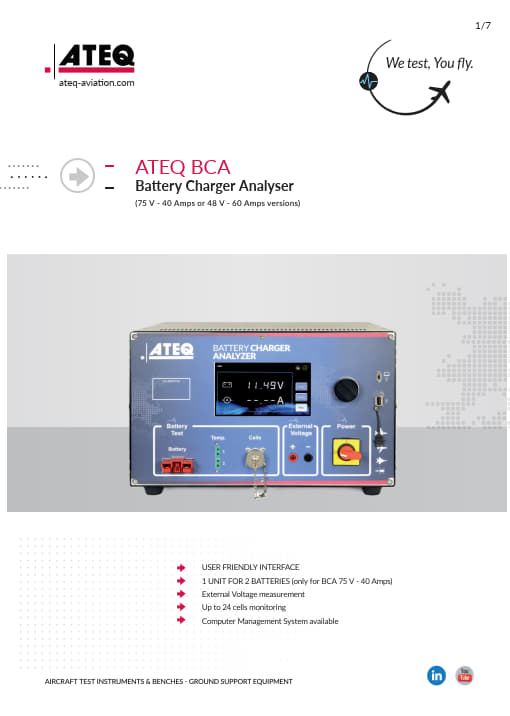
Download Technical Data Sheet BCA

5. Error Codes and Troubleshooting Guide
Cause:
- Digital input error
- Error between the safety board and the fans
- Error on the communication between the Tunnel boards and the measurement board
- Tunnel board not detected
- Cable between the thermocouple board and the measurement board
Action:
- Check the operation of the fans and the safety board.
- Activate a high current load (minimum 20A) → the fan control should activate after 2 to 5 minutes.
- Swap the fan cables to identify the faulty fan.Check the communication between the measurement board and the tunnel boards.
- Check the cable between the thermocouple board and the measurement board.
Cause:
- Thermocouple 1 probe error (displayed on the main screen).
Action:
- Check that the temperature sensor is properly connected.
- Check the condition of the sensor.
- Check the thermocouple board.
Cause:
- Thermocouple 2 probe error (displayed on the main screen).
Action:
- Check that the temperature sensor is properly connected.
- Check the condition of the sensor.
- Check the thermocouple board.
Cause:
- Cotek Power Supply 1 error (displayed on the main screen).
Action:
- Check the status of the power supply.
- Orange LED: Power supply is controlled and operational.
- Flashing green LED: Power supply is OK but not being commanded (cable or measurement board issue).
- Red LED: Power supply fault.
Cause:
- Cotek Power Supply 2 error (displayed on the main screen).
Action:
- Check the status of the power supply.
- Orange LED: Controlled and operational power supply.
- Flashing green LED: Power supply is OK but not being controlled (cable or measurement board issue).
- Red LED: Power supply fault.
Cause:
- EEPROM error (displayed on the main screen).
Action:
- Measurement board fault → replace the board.
Cause:
- Error digital converter (displayed on the main screen).
Action:
- Replace the measurement board.
Cause:
- Device configuration error or setting error.
Action:
- Check the device configuration.
Cause:
- Sensor error I out of range (displayed on the main screen).
- No current in the circuit or offset measurement.
Action:
- Check if the issue occurs in both charge and discharge modes.
- Check the On/Off and C/D contactors.
- Check the control cables.
- Replace the contactors if necessary (tightening torque: 8.00 Nm).
- Check the consistency of the current measurement.
- Check the current sensor measurement cable.
Cause:
- SD card error (ERROR No SDCard).
Action:
- Check the board connection, or replace if necessary.
Cause:
- SD card cluster error (ERROR Bad Cluster).
Action:
- Check the board connection, or replace if necessary.
Cause:
- Backup battery for settings is faulty or disconnected.
Action:
- Check the battery voltage (3.3V) or replace with a new battery on the measurement board EA0149.
- Check the date and time configuration.
Notes:
- For EEST devices: if the unit has been turned off for an extended period, leave it switched on to recharge the battery.
Cause:
- Communication fault between the measurement board and the display board.
Action:
- Check the cables between the measurement board and the display board.
Cause:
- Presence error DEEP.
Action:
- Check the connection of the Deep Discharge board.
- Verify the configuration on SCSS.
- If everything is OK, replace the faulty board.
ATEQ Aviation Division has offices and Sales representatives across the globe ready to support you.
Find the right contact near your location.
